

Fovela text choices: prelaunch development walkthrough
Adamo Creative, LLC operates Fovela’s closed-beta text program. Text messaging is not available yet. Use email and your dashboard for support while texting is being connected.
These screenshots show implemented Fovela controls in an isolated development lab, with fictional display details. The scenes are separate demonstrations, not a completed customer journey. They do not show a real account login, mobile ownership, successful verification, saved text permission, enrollment, or message delivery.
The lab refuses every submission. Its refusal messages are genuine development results; no customer permission is saved. The public website continues to gate sign-in and verification while the service is being prepared.
1. Mobile verification and future sign-in texts
The first scene shows the controls when texting is unavailable. The next scene makes the same implemented controls visible in the lab. A request for one verification code and the initially unchecked option for future sign-in codes are separate choices. Neither selects support-request or account-access updates.
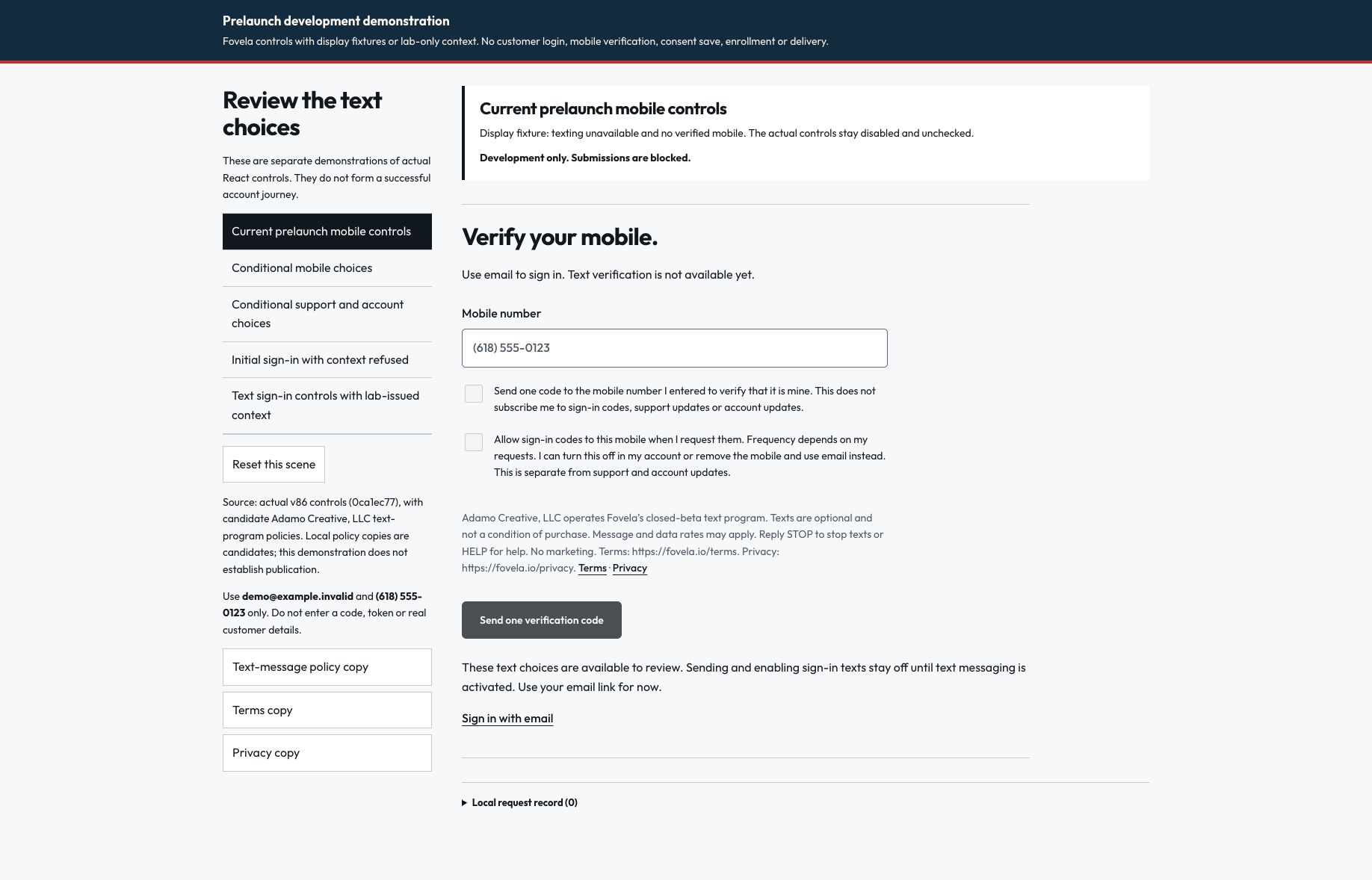
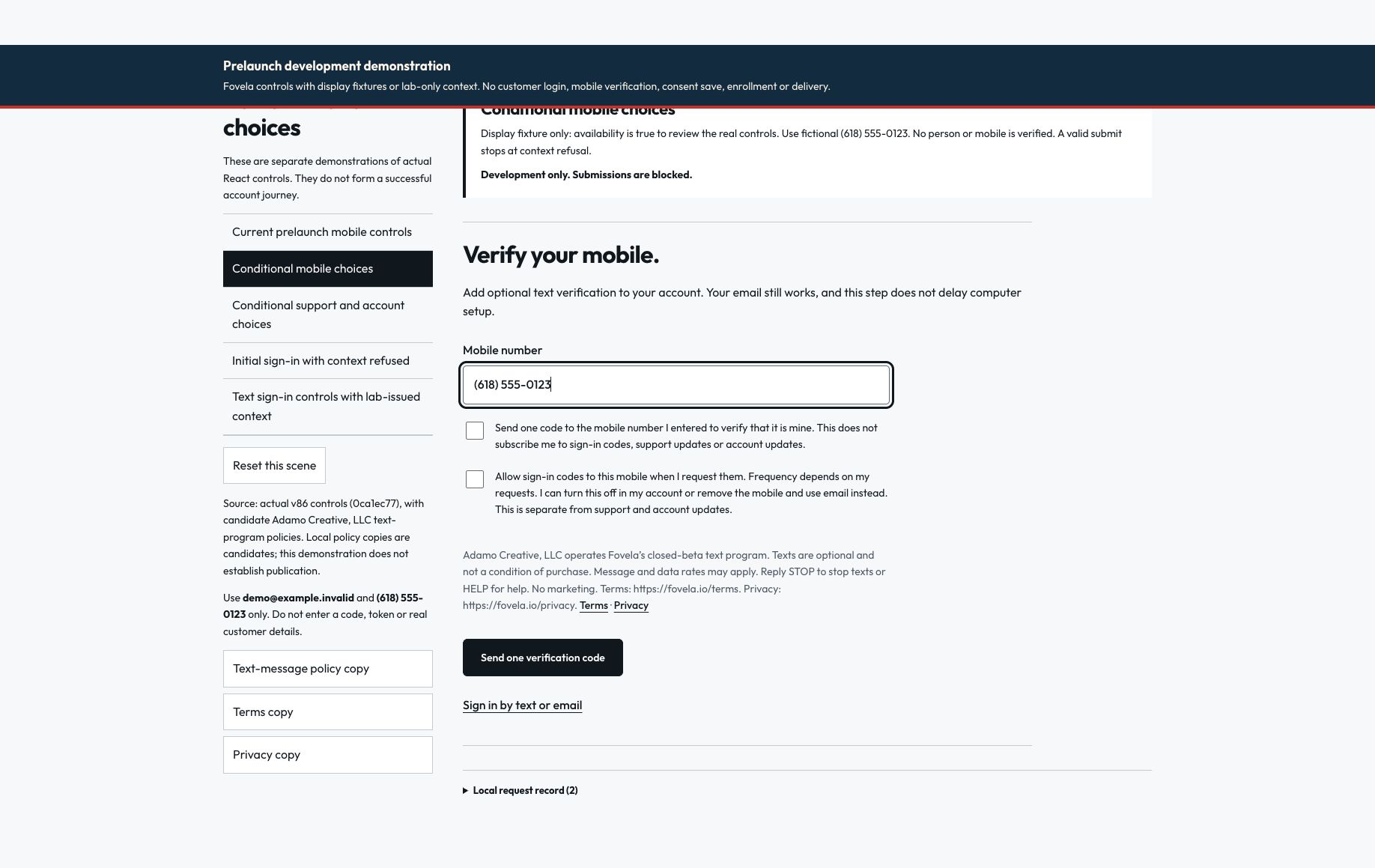
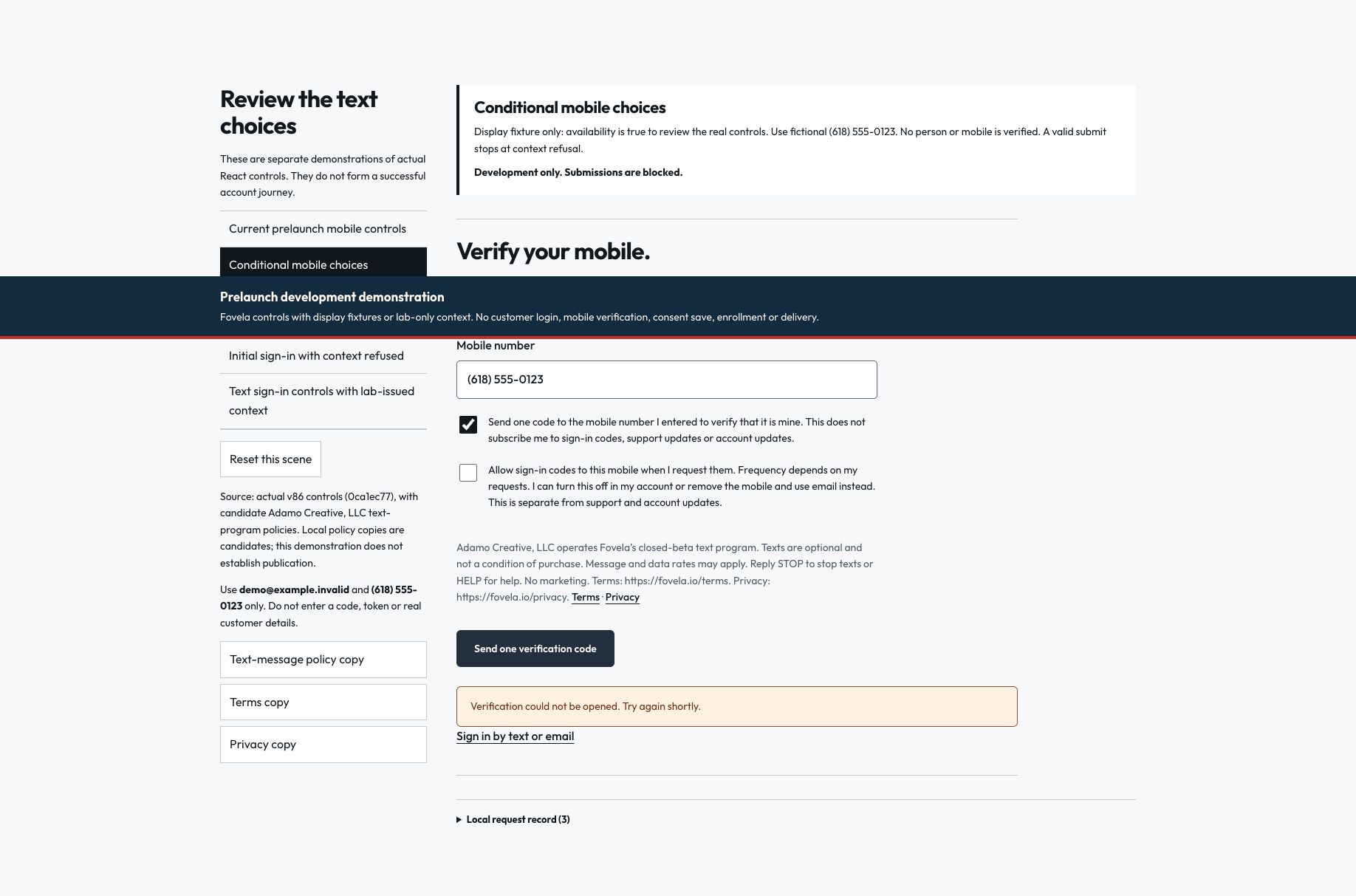
When this service becomes available, a customer will request a code and prove ownership of the mobile number before enabling future sign-in texts. These captures do not show that verification or an enabled permission. Email remains an alternative.
2. Support-request and account-access texts
Support-request updates and account-access notices have independent, initially unchecked choices. Choosing either will not select the other or authorize sign-in codes. The lab’s fictional verified-mobile display is a display fixture, not proof that a person verified a number.
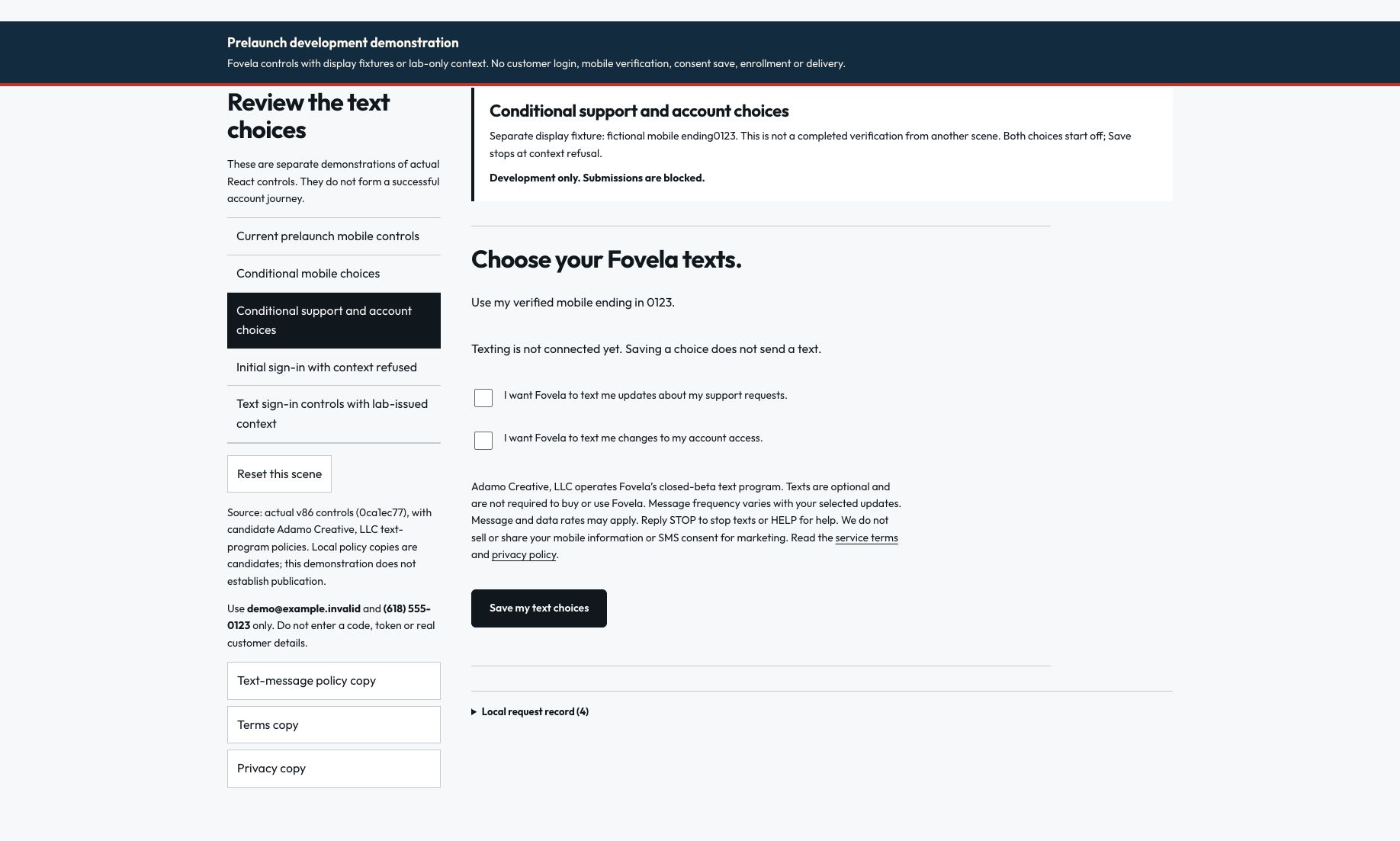
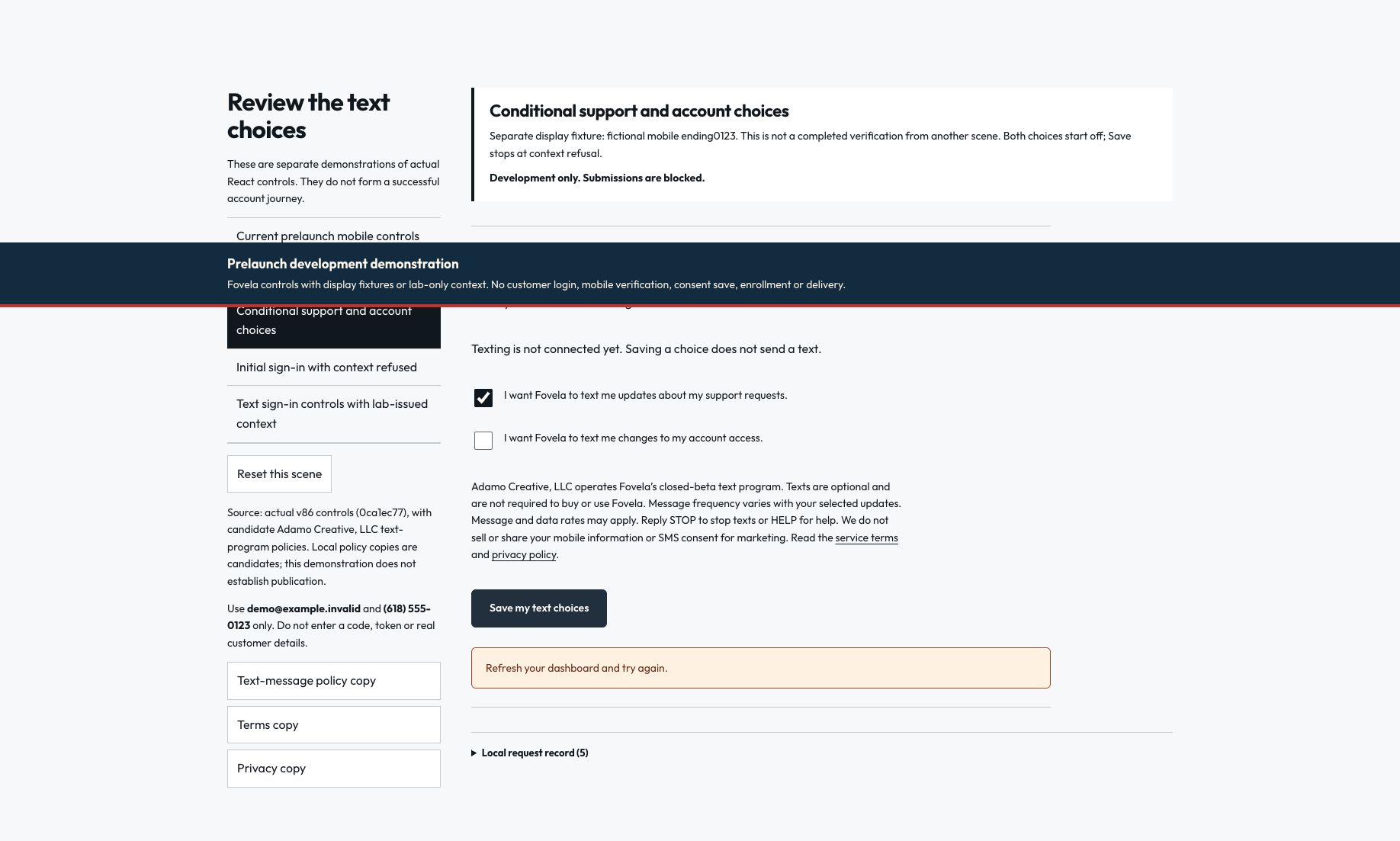
The planned customer flow requires a verified mobile number and an explicit choice for each purpose. Recurring permission will require that purpose’s confirmation message to be correlated with a delivered receipt; a pending, failed, or uncertain result will not activate it. That delivery-dependent behavior is not demonstrated by these screenshots.
3. A sign-in code requested at sign-in
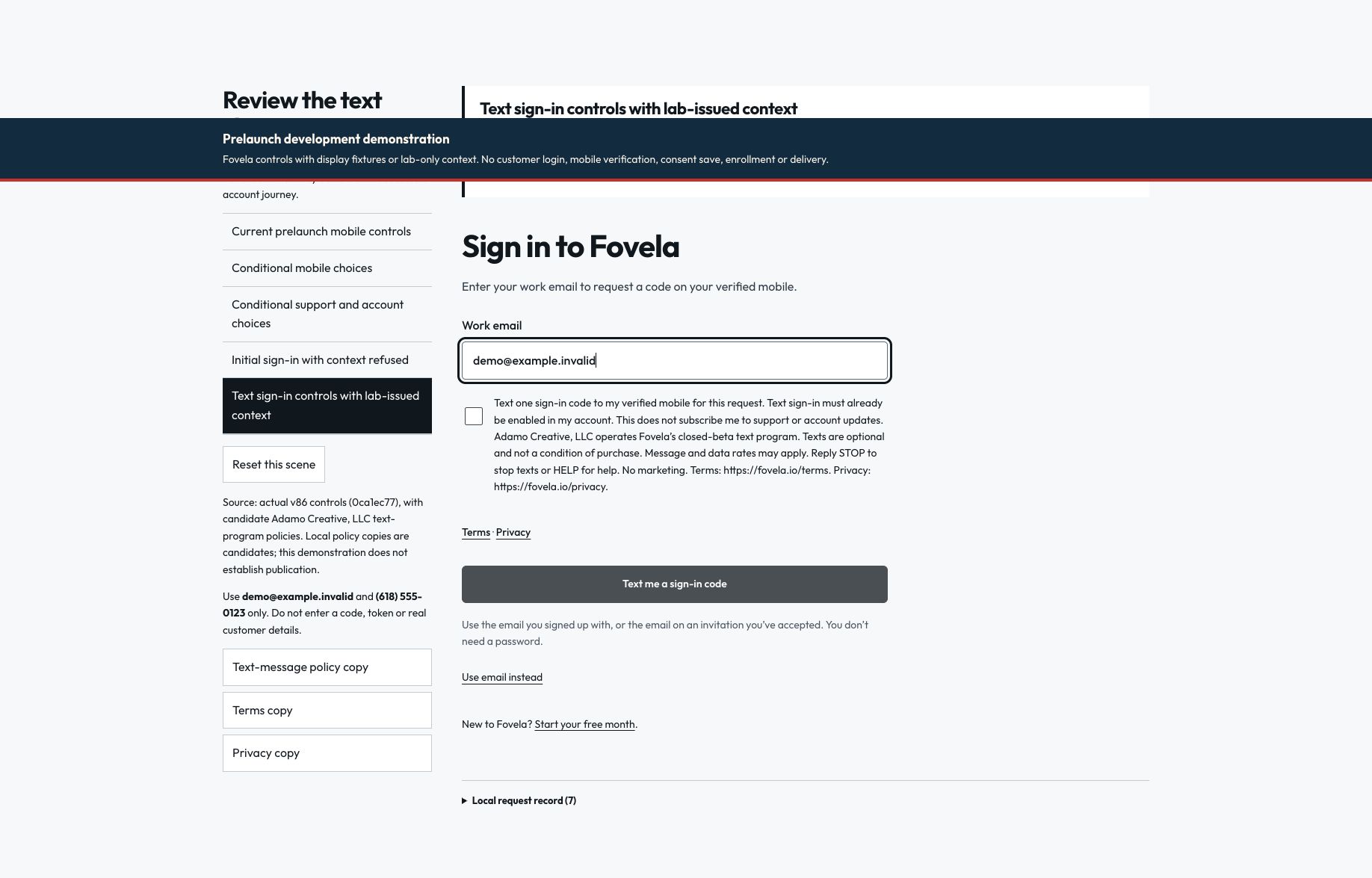
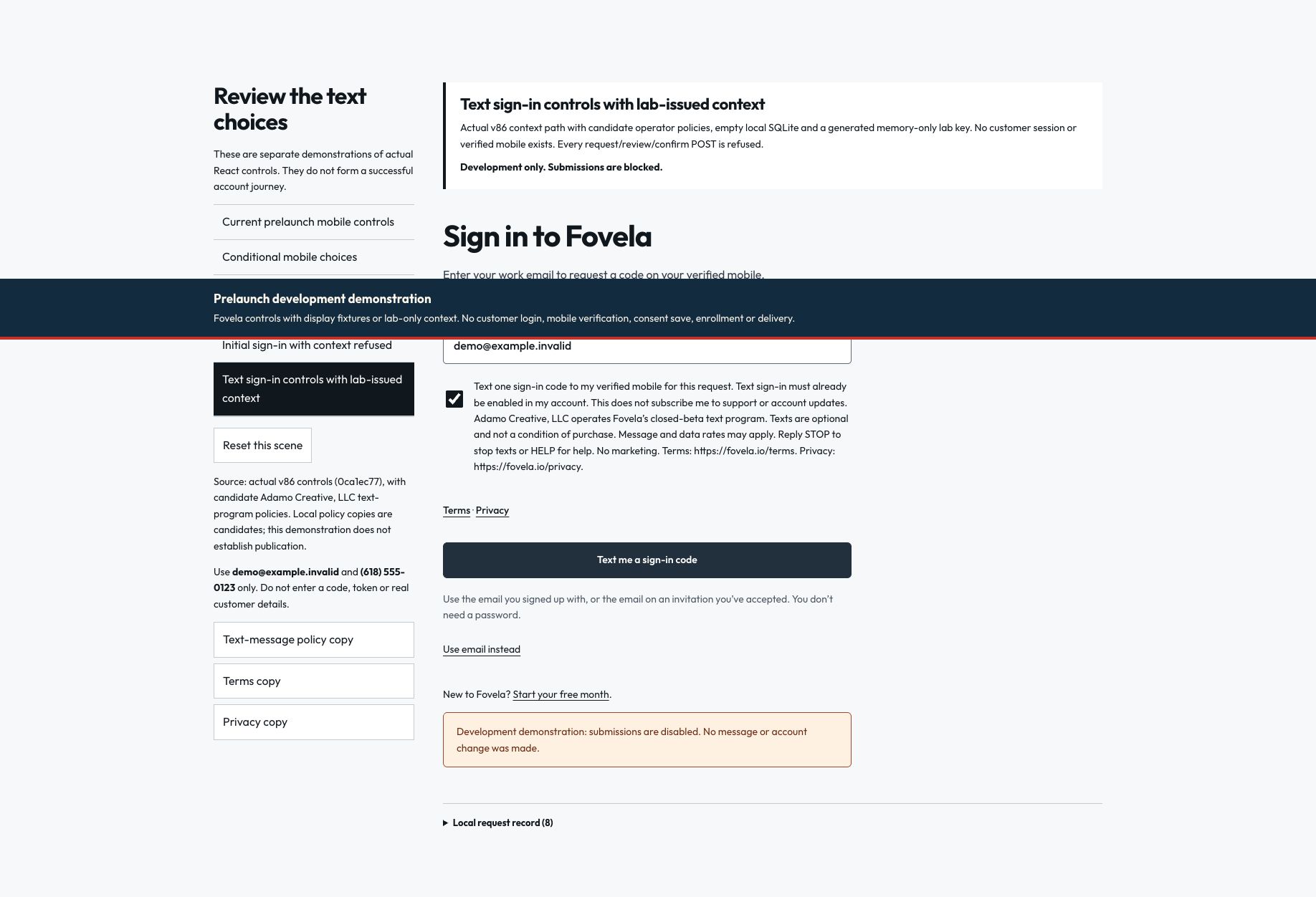
The sign-in scene shows the implemented one-code disclosure and an unchecked permission control, with clickable Terms and Privacy links. It does not use a genuine customer session or send a sign-in code.
A public link requested during a call
Read the prelaunch one-message phone script. It describes the disclosure, destination confirmation, and explicit permission planned for one requested public link. It is not a customer transcript or existing permission, and it does not subscribe anyone to recurring texts.
Your choices and policies
Texting is optional and consent is not a condition of purchase. Message and data rates may apply. When texting is available, reply STOP to stop texts from all Fovela senders or HELP for contact information.
Replying START only clears the carrier block. It does not restore sign-in, support or account text permissions, or authorize another requested link.
Read the text-message program information, service terms, and privacy policy. For help now, email support@fovela.io.